
Anúncios
Understanding Social Media Profile Visitors
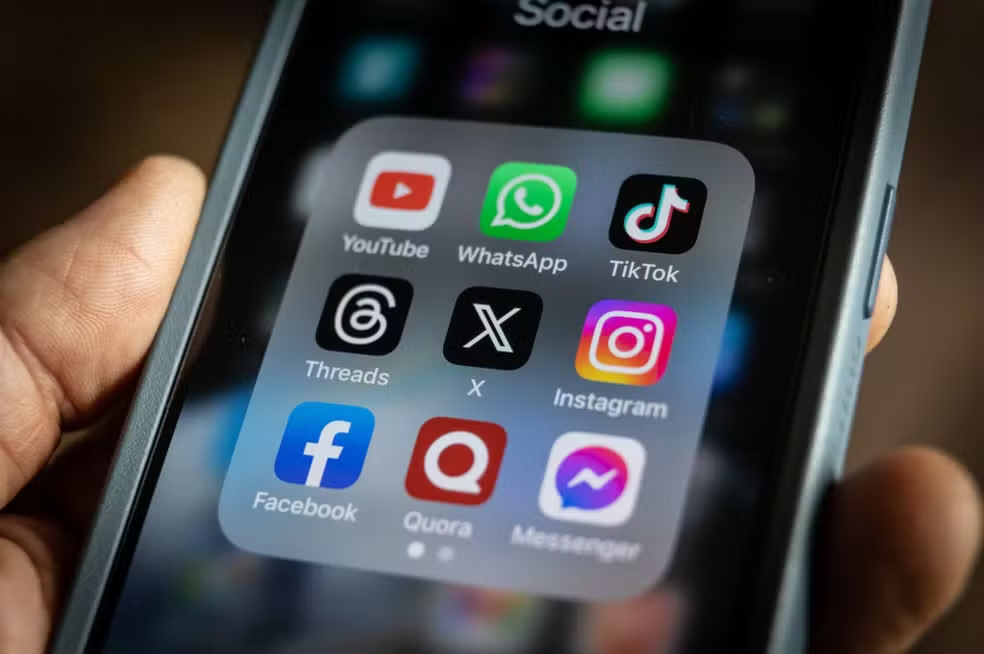
Track Your Engagement
The question of who’s viewing your social media profiles has captivated users since the early days of platforms like Facebook, Instagram, and Twitter.

The curiosity is natural—we want to know who’s interested in our content, whether it’s an old friend, a potential employer, or someone we’re hoping will notice us. This desire has spawned countless apps, browser extensions, and viral posts claiming to reveal your profile visitors.
Anúncios
However, the reality is far more nuanced than most people realize. Understanding what’s actually possible, what platforms allow, and how to interpret engagement data requires separating fact from fiction. Let’s explore the landscape of social media analytics honestly, without empty promises.
The Technical Reality Behind Profile Tracking 📱
Social media platforms operate on specific privacy principles and technical architectures that fundamentally limit what third-party apps—and even the platforms themselves—can reveal about profile visitors.
Anúncios
Most major platforms do not provide APIs (Application Programming Interfaces) that expose profile visitor data to third parties. This is a deliberate design choice rooted in privacy concerns and user trust. When Instagram, Facebook, or Twitter build their platforms, they intentionally restrict access to sensitive behavioral data like who views whose profile.
What Platforms Actually Track
Behind the scenes, social platforms collect extensive data about user behavior, but they keep most of it private:
- Engagement metrics: likes, comments, shares, and saves
- Story viewers: who watched your Instagram or Facebook stories (this IS visible to the poster)
- Video views: aggregate counts without specific viewer identities in most cases
- Link clicks: when someone clicks URLs in your bio or posts
- Message interactions: who sends you direct messages
The key distinction is between aggregate analytics (total views, general demographics) and individual user tracking (exactly which accounts viewed your profile). Platforms provide the former but protect the latter.
Instagram: Separating Myths from Features 🔍
Instagram generates more questions about profile visitors than perhaps any other platform, largely because it’s highly visual and personal.
What Instagram Actually Shows You
Instagram provides legitimate visibility into these interactions:
Story viewers: When you post an Instagram Story, you can swipe up to see exactly who watched it, listed in a specific order (though Instagram has changed this algorithm multiple times).
Live video viewers: During live broadcasts, you see a real-time list of current viewers.
Post insights (for business/creator accounts): Total reach, impressions, profile visits, and website clicks—but not which specific accounts took these actions.
IGTV and Reels analytics: View counts and engagement metrics, with some demographic breakdowns for business accounts.
The Profile Visit Myth
Instagram does not provide a feature to see who simply visited your profile without interacting. Third-party apps claiming this capability are either:
- Fabricating data randomly
- Violating Instagram’s Terms of Service through unauthorized scraping
- Harvesting your login credentials for malicious purposes
- Providing insights only about people who engaged with your content, not profile visitors
This distinction is critical. An app might show you “your top followers” or “people interested in you” based on who likes your posts most frequently—that’s engagement data, not profile visit data.
Facebook’s Transparency and Limitations 👥
Facebook, as the oldest major social network, has evolved its privacy and analytics features considerably over two decades.
What Facebook Reveals
Facebook business pages offer robust Page Insights including:
- Total page views and unique visitors
- Post reach (organic and paid)
- Engagement rates
- Demographic breakdowns by age, gender, location
- Peak activity times
For personal profiles, Facebook shows:
- Who viewed your stories (within 24 hours)
- Total profile views (a number, not individual viewers)
- Friend suggestions based on mutual connections and interactions
The Friend Suggestion Algorithm
Many people believe Facebook’s friend suggestions indicate who’s been viewing their profile. The actual algorithm considers:
- Mutual friends (heavily weighted)
- Shared networks (schools, workplaces)
- Contact information overlap
- Geographic proximity
- Group memberships
- Previous interactions
Profile visits might influence suggestions marginally, but Facebook has never confirmed this, and it’s not the primary factor.
LinkedIn: The Professional Exception 💼
LinkedIn stands apart from other platforms by being more transparent about certain types of profile visibility.
Who’s Viewed Your Profile Feature
LinkedIn legitimately shows recent profile visitors—but with important caveats:
With a premium subscription, you can see detailed information about who viewed your profile over the past 90 days, including names, headlines, and when they visited.
With a free account, you see limited information: typically the last 5 viewers, often with restricted details (such as “Someone from Company X” rather than their name).
The Privacy Trade-Off
LinkedIn operates on a reciprocity principle: if you browse in private mode, you can’t see who viewed your profile. If you want to see your visitors, you must allow others to see when you visit theirs.
This transparency makes sense in LinkedIn’s professional context, where networking and visibility serve clear career purposes. The platform explicitly designed profile viewing as part of its value proposition.
Twitter/X: Minimal Visibility by Design 🐦
Twitter (now X) has historically been the most open and public social network, which paradoxically means profile visit tracking is minimal.
What Twitter Provides
Twitter analytics (available to all users) shows:
- Tweet impressions (how many times your tweets were displayed)
- Profile visits (total count for the past 28 days)
- Mentions and replies
- Follower growth over time
- Top tweets by engagement
Notice what’s missing: individual visitor identity. Twitter’s public nature means most content is viewable without even having an account, making comprehensive visitor tracking technically impractical and philosophically inconsistent with the platform’s openness.
TikTok: Views Without Visitors 📹
TikTok’s algorithm-driven feed creates a unique situation for visibility analytics.
TikTok’s Analytics Approach
Creator accounts can access:
- Video views and average watch time
- Traffic sources (For You page, Following feed, profile, etc.)
- Follower demographics
- Trending sounds and hashtags
Profile views appear as a metric for Pro accounts, but again, only as a count, not individual visitors.
The platform’s emphasis on content discovery through the For You page means most viewers encounter your videos without ever visiting your profile, making profile visit tracking less relevant than on other platforms.
Third-Party Apps: What They Really Offer (and Cost) ⚠️
The app stores are filled with applications promising to reveal your social media visitors. Understanding what these tools actually provide is essential.
Legitimate Analytics Tools
Some apps offer legitimate functionality within platform restrictions:
Follower analytics: Track who followed/unfollowed you, growth trends, and engagement patterns. These apps monitor changes over time rather than accessing restricted data.
Content performance: Analyze which posts perform best, optimal posting times, and hashtag effectiveness.
Engagement tracking: Identify your most engaged followers based on likes, comments, and shares.
Comparison metrics: Benchmark your performance against similar accounts or industry standards.
Red Flags to Watch For
Be extremely cautious of apps that:
- Request your login credentials: Legitimate apps use official OAuth authorization, never asking for your password directly
- Promise specific profile visitors: This violates platform Terms of Service and likely provides fake data
- Require excessive permissions: Access beyond basic profile information and analytics raises privacy concerns
- Display intrusive ads: Often these apps monetize through advertising rather than providing genuine value
- Have poor reviews mentioning scams: User feedback frequently reveals fraudulent practices
The Privacy Trade-Off
Even legitimate analytics apps require you to grant access to your account data. Consider:
- What data are you sharing?
- How is the company storing and using your information?
- Could this access be exploited if the app is compromised?
- Does the benefit justify the privacy cost?
The Psychology Behind Wanting to Know 🧠
Understanding why we’re so curious about profile visitors helps contextualize the feature’s importance (or lack thereof).
Common Motivations
Romantic interest: Wondering if someone you’re attracted to is checking your profile creates hope and anxiety.
Professional curiosity: After a job interview or business meeting, we want to know if contacts are following up.
Social validation: Profile views can feel like a measure of our social worth or popularity.
Security concerns: Legitimate worry about stalkers or unwanted attention from specific individuals.
Competitive analysis: Content creators and businesses want to understand who’s interested in their work.
The Healthy Perspective
Rather than fixating on who might be passively viewing your profile, focus on:
Meaningful engagement: Comments, shares, and direct messages represent genuine interest and interaction.
Content quality: Create posts that provide value to your intended audience.
Authentic connections: Build relationships through reciprocal interaction, not one-sided surveillance.
Privacy boundaries: Respect that others (and platforms) value privacy just as you do.
The inability to see profile visitors isn’t a limitation—it’s a feature that protects everyone’s privacy equally.
What You Can Actually Track and Measure 📊
Let’s focus on actionable metrics available through legitimate means.
Instagram Business Insights
Convert your account to a business or creator profile (free) to access:
- Reach: Unique accounts that saw your posts
- Impressions: Total times your content was displayed
- Profile activity: Visits, website clicks, email clicks, call clicks
- Audience demographics: Age ranges, gender split, top locations, active times
- Content performance: Individual post and story metrics
These insights reveal patterns far more valuable than individual visitor names. You’ll understand when to post, what content resonates, and how your audience is growing.
Facebook Page Analytics
Business pages receive comprehensive insights:
- Page views and previews: How many people viewed your page
- Page likes and unlikes: Growth tracking
- Post reach: Organic versus paid distribution
- Engagement rate: Interactions relative to reach
- Video metrics: Average watch time, completion rate
- Messaging response rate: How quickly you reply to inquiries
Twitter/X Analytics Dashboard
Access detailed performance data:
- Tweet activity: Impressions, engagements, engagement rate
- Video views: If you post video content
- Top tweets: Your best-performing content each month
- Follower growth: Net change over time
- Profile clicks: People who viewed your full profile
LinkedIn Analytics
Professional accounts receive:
- Search appearances: How often you appear in LinkedIn searches
- Post views: Individual article and post performance
- Social selling index: A score reflecting your professional brand strength
- Profile views: Total count and trend over time (detailed list with premium)
Building Genuine Engagement Instead 🤝
Since you can’t see most profile visitors, shift focus to strategies that drive meaningful interaction.
Content Strategies That Work
Consistency: Regular posting keeps you visible in feeds and establishes reliability.
Value-driven content: Educational posts, entertainment, or inspiration that serves your audience.
Authenticity: People engage with real personalities, not corporate facades.
Visual quality: High-quality images and videos stop scrolling and attract attention.
Calls to action: Explicitly invite comments, shares, or opinions.
Engagement Tactics
Respond to comments: Every reply encourages future engagement and shows you value your audience.
Ask questions: Posts that invite responses naturally generate more interaction.
Use Stories and ephemeral content: The 24-hour limitation creates urgency and more casual sharing.
Collaborate: Partner with others in your niche for cross-promotion and expanded reach.
Timing optimization: Post when your analytics show your audience is most active.
Community Building
Create conversation spaces: Facebook groups, Twitter spaces, or Discord servers for deeper connection.
Acknowledge contributors: Shout out engaged followers to build loyalty.
Share user-generated content: Reposting followers’ content strengthens community bonds.
Be accessible: Direct messages and comments are opportunities to build relationships.
Privacy Considerations and Digital Etiquette 🔒
The desire to see profile visitors intersects with important privacy considerations.
Respecting Others’ Privacy
Just as you might want to know who views your profile, others may prefer to browse without being tracked. This mutual privacy creates:
- Freedom to explore content without social obligation
- Reduced anxiety around casual curiosity
- Protection from unwanted attention or harassment
- Space for professional research without awkwardness
Your Own Privacy
Limit your digital footprint by:
Reviewing privacy settings regularly across all platforms
Being selective about third-party app permissions
Using private browsing for sensitive searches when available
Considering what you post with awareness that it may reach beyond your intended audience
Setting boundaries around who can contact you or see your content
Platform Terms of Service
Using unauthorized tools to circumvent platform restrictions:
- Violates Terms of Service and risks account suspension
- May expose your account to security vulnerabilities
- Could compromise other users’ privacy
- Supports businesses built on deceptive practices
The Future of Social Media Analytics 🔮
Platform approaches to visibility and analytics continue evolving.
Emerging Trends
Greater transparency: Some platforms are experimenting with more open data sharing within privacy boundaries.
Creator-focused tools: As influencer culture grows, platforms develop more sophisticated analytics for content creators.
Privacy regulations: GDPR, CCPA, and similar laws increasingly shape what data can be collected and shared.
AI-driven insights: Machine learning provides pattern recognition beyond simple counts.
Decentralized social networks: Emerging platforms with different privacy philosophies may change visibility norms.
What’s Likely to Stay Restricted
Core privacy protections will likely remain, including:
- Individual profile visit tracking for passive viewing
- Private browsing capabilities
- User control over their own visibility
- Restrictions on third-party data access
These limitations reflect not technical impossibility but ethical design choices that balance curiosity with privacy rights.

Making Peace with Uncertainty 🌟
Ultimately, accepting that you can’t see most profile visitors is part of healthy social media use.
The metrics that matter most—genuine engagement, meaningful conversations, and real relationships—are all visible and measurable.
Someone who silently views your profile ten times but never interacts contributes far less to your social media experience than someone who thoughtfully comments once.
Focus your energy on creating content you’re proud of, engaging authentically with your community, and using the legitimate analytics tools available to improve your strategy. The mystery of who might be quietly observing is far less important than the community you’re actively building with those who choose to engage.
Your social media presence should serve your goals, whether personal connection, professional networking, creative expression, or business growth.
None of these objectives genuinely require knowing every person who glances at your profile. They do require authentic engagement, quality content, and strategic use of the powerful analytics tools already at your fingertips.